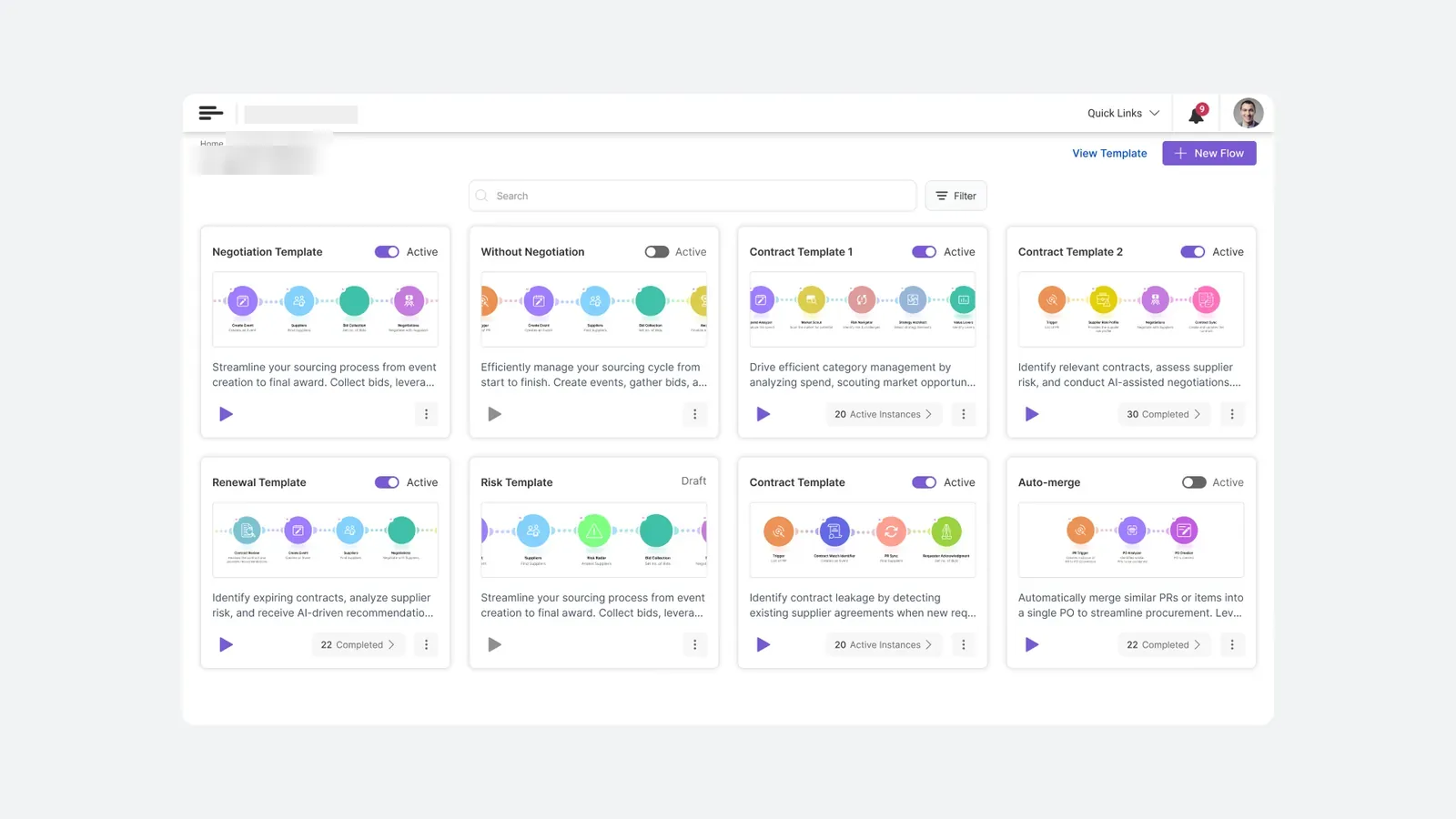
A flow builder for procurement admins who aren't engineers — where the same drawing works as a template, an editable canvas, and a live progress tracker.
The product is sold as a low-code orchestration layer: administrators configure the agents that automate their procurement, without engineering support.
That promise creates a hard design problem. Procurement processes are genuinely different at every company — approval thresholds, risk checks, whether negotiation is automated or manual, whether contracts renew on a schedule or on a trigger. One enterprise customer runs 17 distinct procurement workflows through it.
So the product can't ship one flow. It has to let a category manager compose a chain of autonomous agents — and understand what they've built well enough to trust it running unattended against real spend.
The genre convention — rectangular nodes, connector ports, a properties inspector — signals "this is for developers" before a single word is read. That framing alone loses the audience.
An empty builder is the least useful state a configuration tool can present. But the alternative — locked templates — kills the flexibility that justified the product.
Composing autonomous steps means committing to actions that happen later, unattended, against real purchase orders. Confidence has to be built at configuration time, before there's anything to observe.
The person who builds a flow also has to watch it run. If those two surfaces look unrelated, they learn the product twice.
The chain of circular agent nodes is not a diagram of the flow. It is the flow — the same representation across every state the product has.
As a template card, it's a thumbnail you scan to choose. As a builder canvas, it's the thing you edit. As a running instance, it's the progress tracker you monitor. Same shapes, same colours, same order.
The payoff: a user learns the visual language once, while browsing templates, and already knows how to read a flow that's been running for nine days. Configuration and monitoring stop being two products.
Large circular nodes on a dotted canvas, connected by soft dotted paths — not rectangles with connector ports. The difference is not decorative. Rectangles and ports are the visual grammar of engineering tools; they tell a category manager this isn't for them.
Each node carries an icon, a name, and a plain-language description of what it does — "Create Event — Creates an Event." The AI badge appears only on nodes that act autonomously, so a glance tells you where the machine is making decisions and where you still are.
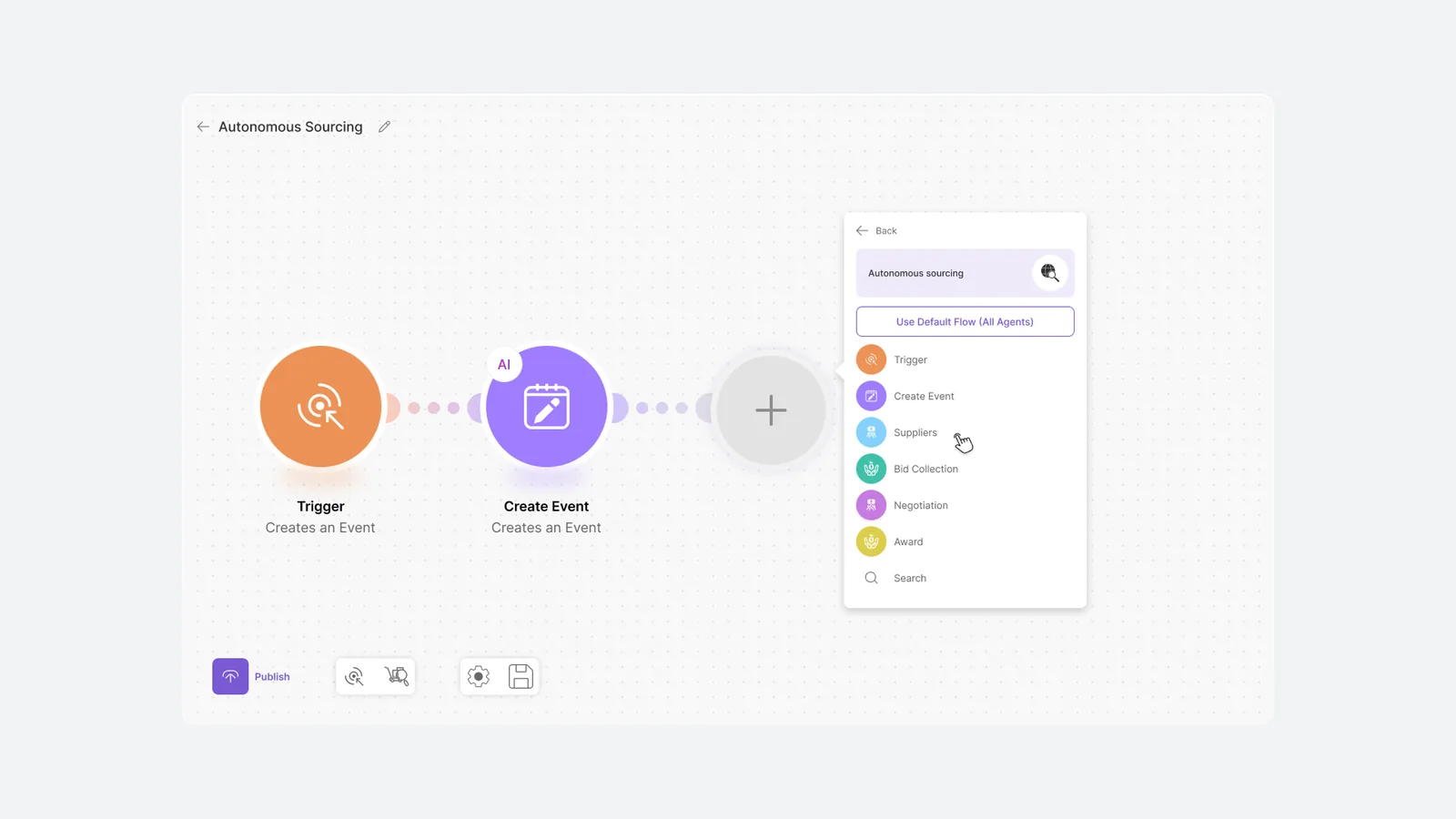
Above the agent list sits a single button: Use Default Flow (All Agents).
Some administrators want to design their process. Most want it to work. That button lets the second group skip composition entirely and still land somewhere sensible — while the first group keeps the full canvas. It costs one line of UI and removes the blank-canvas problem for the majority.
Templates are the default entry point. The empty canvas exists, but you have to choose it.
Configuration from scratch was designed as the second path, not the firstEvery flow carries an explicit Active/Draft state, and Publish is a separate, deliberate act at the bottom of the canvas. A flow you're still thinking about cannot quietly start spending money.
This is the same principle as case study 01's draft, don't submit — the machine prepares, the human commits — applied one level up, to the automation itself rather than a single request.
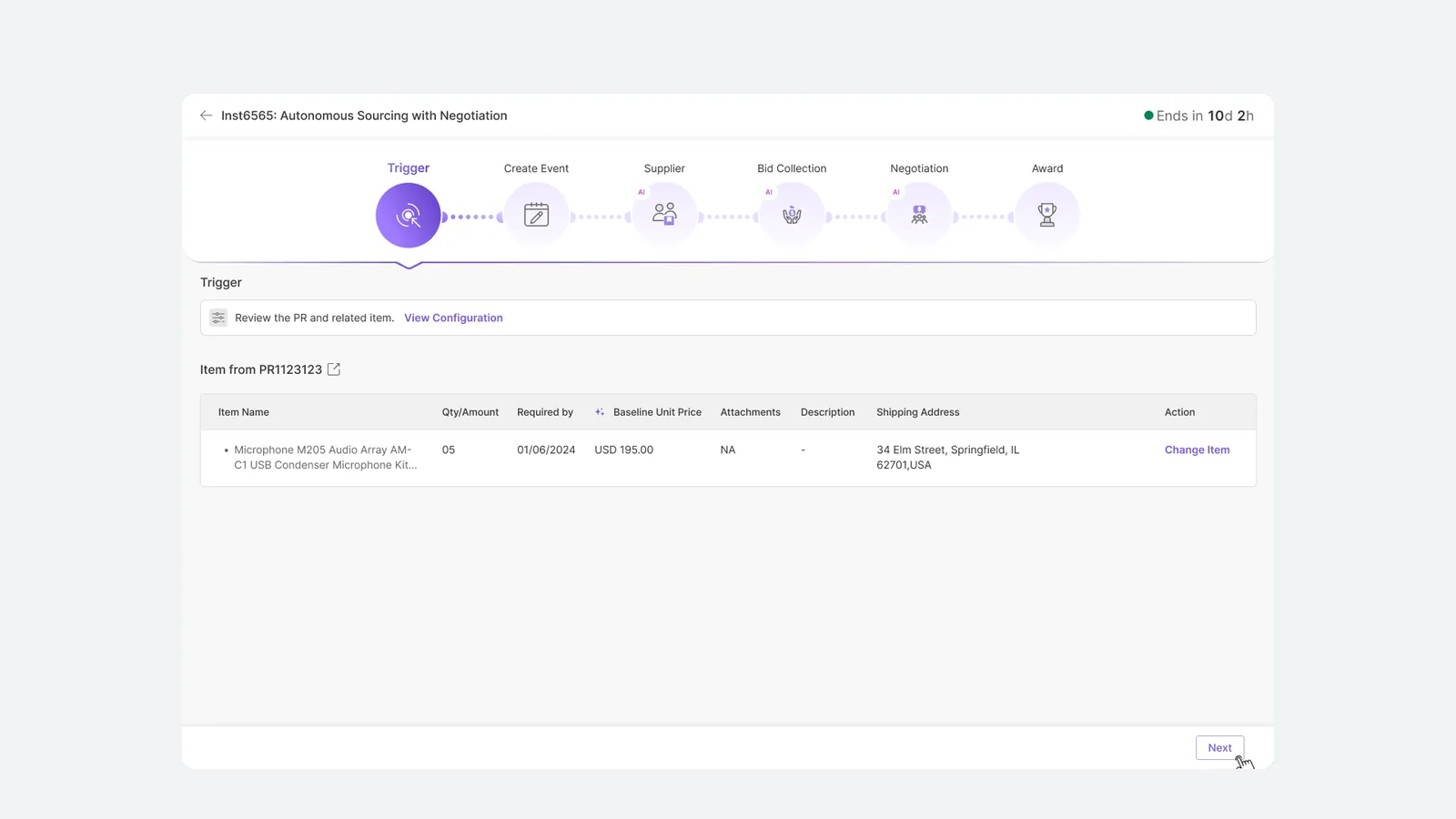
At runtime the same chain becomes a progress rail. The current step is filled and highlighted; a caret drops from it into the detail panel below. Completed steps are dimmed, AI badges persist, and a countdown sits in the header — Ends in 10d 2h.
Nothing new to learn. The mental model built while configuring is the one used while monitoring.
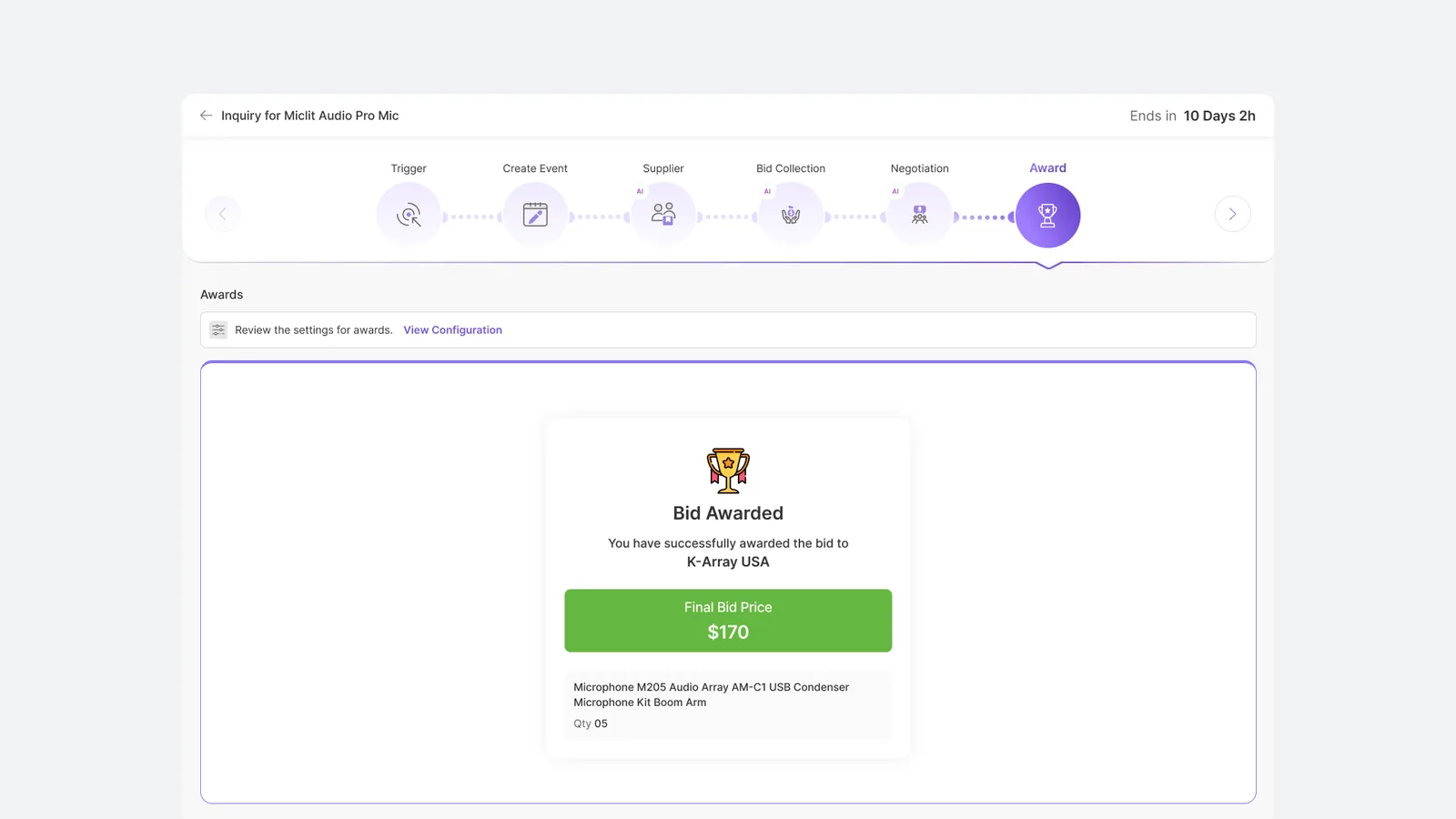
The rail completes on Award. The outcome is stated plainly — supplier, final price, quantity — rather than dropping the user back into a list view to work out what happened.
An autonomous process that runs for ten days and ends ambiguously teaches users not to trust it. The close is where trust is either earned or lost.
The agent chain renders at thumbnail scale in a card, at full scale as an editable canvas, and as a state machine at runtime. Designing a component that survives that range — rather than three components that resemble each other — is the difference between a design system and a style guide.
Templates → default flow → full composition. Three depths of the same capability, each one a deliberate step further in. Users self-select rather than being routed.
The AI badge is a two-pixel decision with a governance consequence: an administrator can audit which steps in their process run unattended without opening a single configuration panel.